Creating a Category Discount
● From the promotion tab, access the category discount
● Input the name of the discount
● Select the category which the discount is for
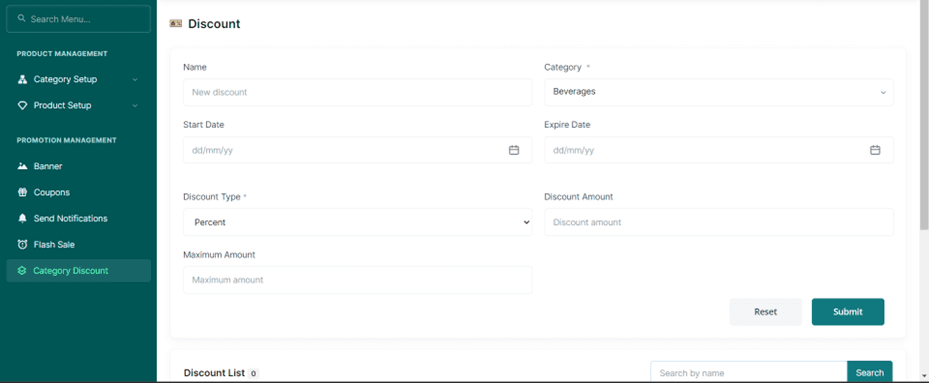
● Input the starting and ending date
● Select the discount type if it is a particular percentage or a direct amount
● Add the discount amount
● Add the maximum amount
● Press the submit button