View all Delivered Orders
• From the POS Tab, access the Orders Tab
• To find a particular order, enter the Order Id or Payment Status of the order in the search bar.
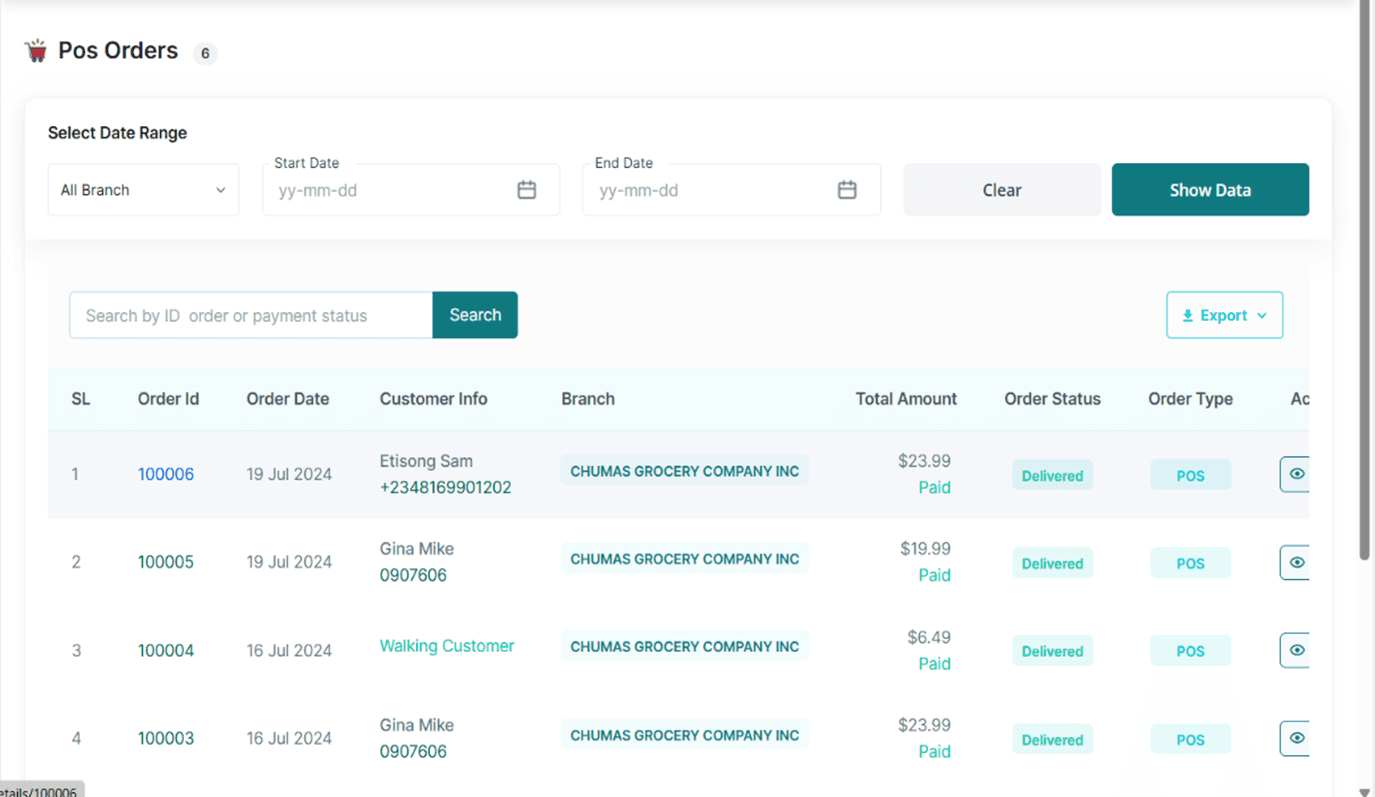
• To find a Narrowed list of orders, Access the select date range Section and input the company’s branch involved, the start date, end date, and tap the Show Data Button.
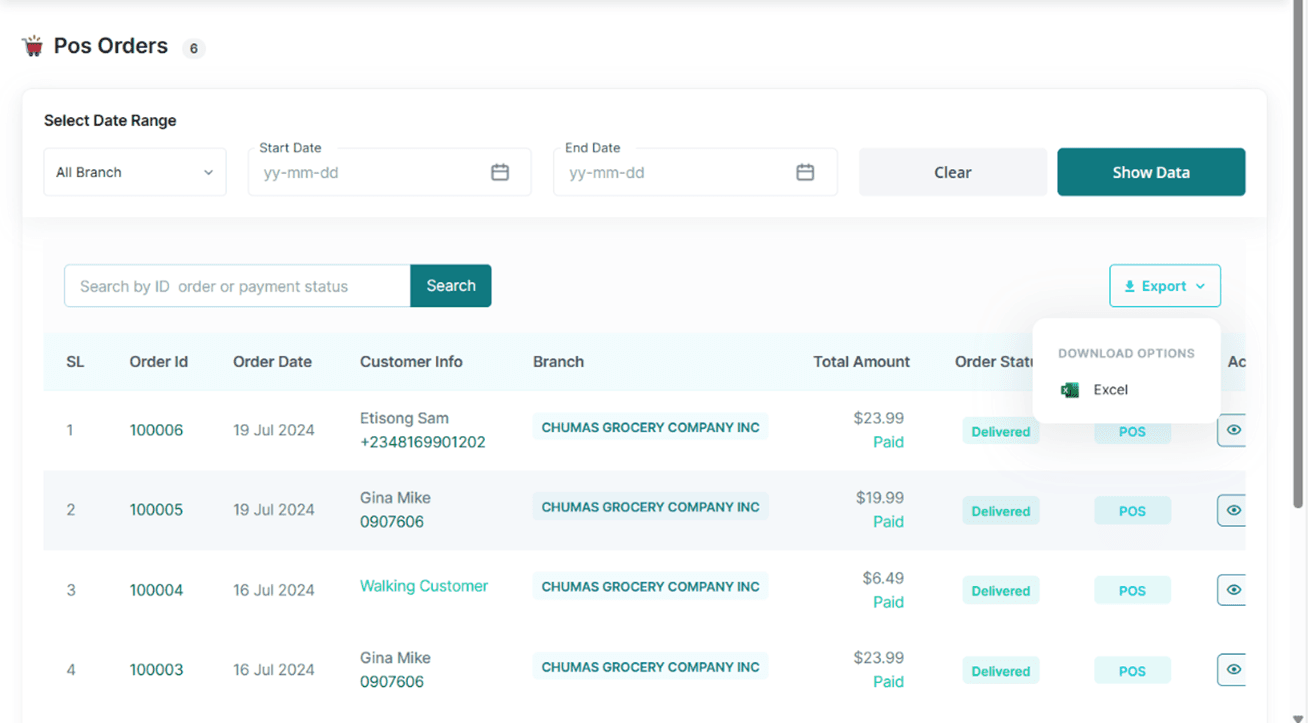
• To Download this list, tap the export link and select the Excel option.