Adding a New Customer
• From the POS Tab, access the New Sale Tab
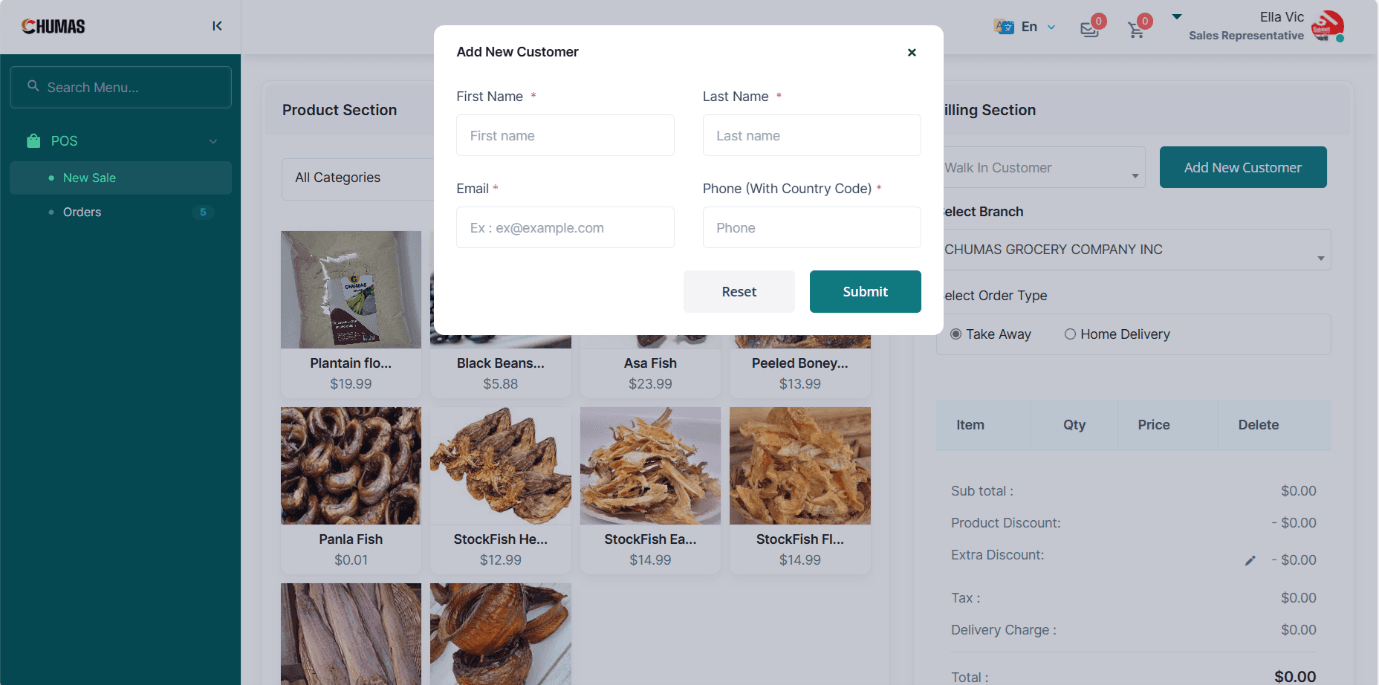
• In the Billing Section, tap the Add New Customer Button
• Input the Customer's First Name, Last Name, Email, and Phone Number.
• Tap the Submit Button or The Reset Button to clear the inputs.