Adding New Products
● From the product setup tab, access the product list tab
● Tap the add new product button
● Input the name of the product and a short description of the product
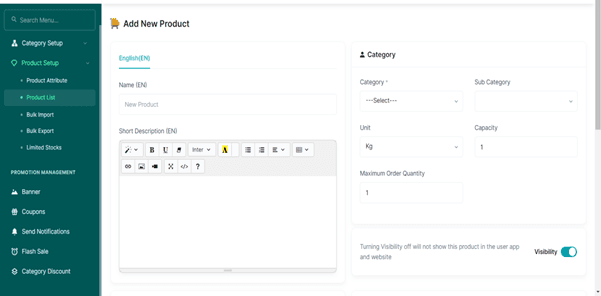
● Select the category of the new product (if It's a carbohydrate, protein, etc)
● Select the sub-category of the new product (if it is seafood, legume, grains, etc)
● Input the unit of the new product
● Select the number available of the new product
● Select the maximum quantity that can be ordered
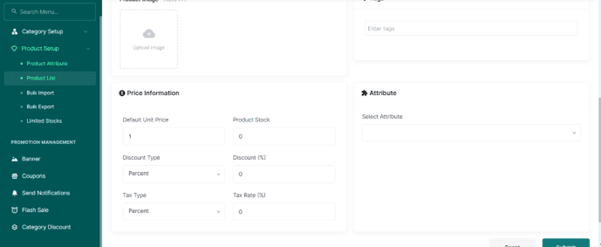
● Upload an image of the new product
● Input the price of the product in the unit price
● Input the number of available Stock
● Put a discount price if needed and a tax type
● Press the submit button